

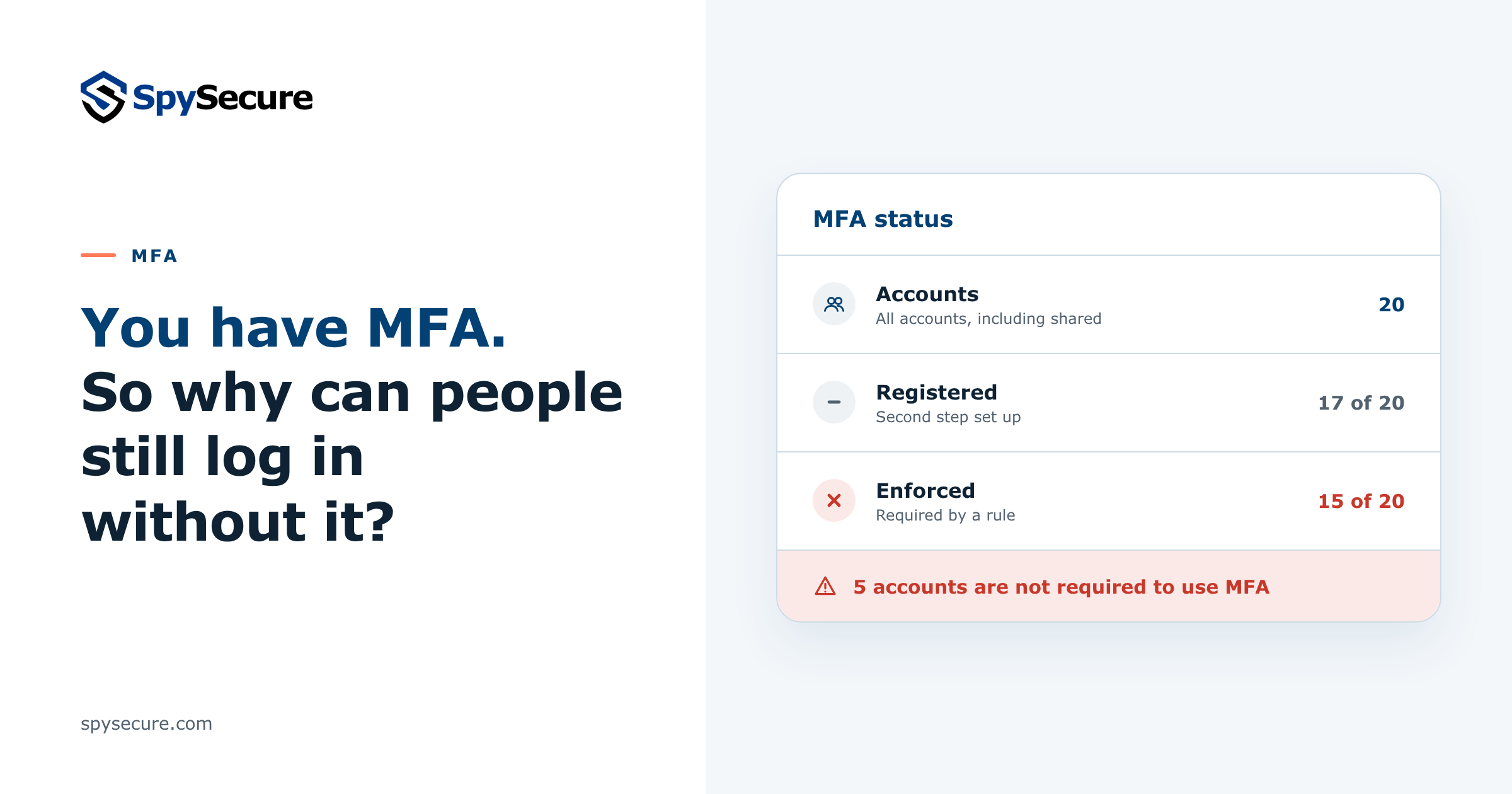
"We have MFA." Many SMEs say this, and it is a good start. According to research by Microsoft, MFA lowers the risk of a hacked account by more than 99%.
But that only applies to accounts where MFA is required. An account that still accepts a password alone is open to anyone who has that password.
This article explains the difference between registered and enforced MFA, which accounts often slip through, and which three numbers to ask your IT partner for.
Is MFA registered the same as MFA enforced?
No. These are two separate things, and you need both.
- Registered: the employee has set up a second step, such as an authenticator app, a passkey or a security key. That does not mean it is always asked.
- Enforced: a rule in Microsoft 365 or Google Workspace requires MFA for the account. The employee cannot choose to skip it.
Together, this gives four situations. Only one is safe.
Registered and enforced
The second step is set up and required. A stolen password alone is not enough.
Registered, not enforced
The second step is set up, but no rule requires it. It may not be asked, and it can be switched off.
Enforced, not registered
MFA is required, but not set up yet. Depending on the setup, the account is blocked, gets a grace period with only a password, or lets whoever signs in first set up MFA.
Neither
No second step and no rule. The password alone is enough to get in.
Which accounts can still log in without MFA?
Even when MFA is required for the company, some accounts fall outside the rule. These five are common.
Exceptions "for now"
An employee had trouble with MFA, so the account was excluded for a while. Nobody put it back.
Accounts outside the rule
The rule was set up for one group or department. Accounts added later, in another group, are not covered.
New accounts
Some setups give new employees time to set up MFA. Until they do, a password is enough.
Shared and service accounts
A login that several colleagues share, or an account used by a scanner or a script. MFA is often switched off because it is "inconvenient".
Old sign-in methods
Some older mail apps and devices can only sign in with a password. Microsoft warns that attackers can use such connections to get around MFA, even when MFA is required. In Google Workspace, app passwords give a device access without the second step.
"MFA is set up, but not enforced" is also one of the 7 common security gaps in Microsoft Entra ID and Google Workspace.
How do you know if MFA is required for every account?
You do not need to dig through admin settings yourself. Ask your IT partner or administrator for three numbers:
Including shared, service and admin accounts. Not just employees.
How many accounts have set up a second step.
How many accounts a rule requires to use MFA.
All three numbers must be the same. If they are not, ask for each missing account: why, since when, and until when?
Ask for the report itself, not just a yes or no. Microsoft 365 and Google Workspace can both show this per account.
Checklist: 5 steps to MFA on every account
The goal is simple: no account can log in with only a password.
Make one rule for all accounts
Require MFA for every account, including new, shared and admin accounts. A rule for one group leaves the rest open.
Check the three numbers every month
All accounts, registered and enforced. Any difference needs an explanation.
Give every exception an end date
Each excluded account gets an owner, a reason and an end date. Then it goes back under the rule.
Block sign-ins that cannot use MFA
Turn off old sign-in methods that only need a password. Replace devices or apps that still depend on them.
Watch sign-ins day and night
A login from an unusual country or a new MFA method that nobody expected must be noticed and checked, also at weekends.
In short
- Registered and enforced are two different things. Only an account with both is protected.
- Exceptions, accounts outside the rule, new and shared accounts and old sign-in methods often slip through.
- Ask for three numbers: all accounts, registered and enforced. They must be the same.
SpySecure can take this off your hands. Our cybersecurity plans secure your accounts with MFA and monitor sign-ins in Microsoft 365 and Google Workspace 24/7. See which security layers your SME needs.
Want to know which accounts can still log in without MFA?
Leave your details and we will get in touch to look at your situation together.
Sources
- Microsoft research: How effective is multifactor authentication at deterring cyberattacks?
- Microsoft Learn: Security defaults in Microsoft Entra ID (legacy authentication and MFA)
- Google Workspace Admin Help: Transition from less secure apps to OAuth (app passwords)
- Google Workspace Admin Help: Deploy 2-Step Verification